
If you search “2022 RAV4 problems,” you are usually trying to answer one thing fast. Is there anything expensive or unsafe I need to worry about?
Most 2022 RAV4 issues I see fall into 2 buckets. Software glitches. Minor hardware annoyances. The exceptions are a small safety recall batch, and one big “Hybrid AWD only” item you should know about before you buy.
Quick Answer Box (Hero Asset)
The 30-Second Verdict (Who Should Worry)
- If you are buying a 2022 RAV4 gas model, I would mostly focus on infotainment behavior and basic brake noise. These are common. They are usually fixable.
- If you are buying a 2022 RAV4 Hybrid AWD, I would also check the rear motor cable corrosion coverage. Toyota added an 8-year or 100,000-mile support program for it.
- If you own a 2022 RAV4, my first move is simple. Run your VIN for open recalls. Then ask the dealer to verify TSB updates if you have symptoms.
- If you want “low drama,” a RAV4 with documented recall completion and a calm test drive is the one I buy. Paperwork beats promises.
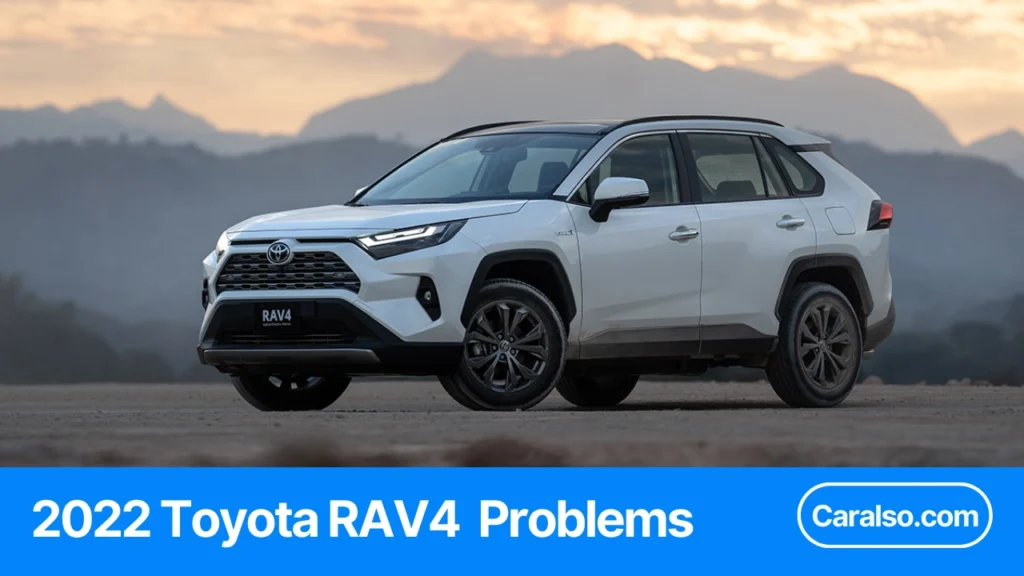
2022 Toyota RAV4 Problems
Summary Table (Problem, Affected Models, How To Spot, Fix Path, Urgency)
| Problem Name | Gas / Hybrid / Prime | Symptom You’ll Notice | Recall / TSB / CSP / Warranty | What To Do Today |
|---|---|---|---|---|
| Infotainment Black Screen, CarPlay Issues, Or Rebooting | Gas, Hybrid, Prime (depends on head unit) | Blank screen, screen flashing, Bluetooth drops, CarPlay call issues, intermittent rebooting | TSB software update path | Check current software version in the head unit settings. If you see repeat reboots or frequent disconnects, schedule a dealer software update. |
| Continuous Head Unit Reboot After Battery Reset | Gas, Hybrid, Prime (Premium Audio equipped vehicles in the bulletin range) | Head unit keeps rebooting after battery reset or update | TSB procedure and software update | If it started right after a battery reset, document it on video. Ask for the specific head unit reboot fix and software update at the dealer. |
| Front Brake Squeal Or Squeak With Light Braking | Gas, Hybrid | Squeal or squeak with light to moderate braking | TSB with parts procedure. Basic warranty window matters | Reproduce it at 10 to 25 mph with light pedal pressure. Record audio. Ask about the anti-squeal shim kit fix. |
| Sloshing Or Splashing Noise In Door Panels | Gas, Hybrid, Prime | Water slosh when driving, braking, or opening a door | TSB repair procedure for blocked door drains | Open and close each door after a wash or rain. If you hear slosh, ask the dealer to clear drain restrictions per the bulletin. |
| Passenger Airbag May Not Deploy Properly (OCS Sensor Issue) | Gas, Hybrid, Prime (specific build window) | Usually no obvious symptom. It is a compliance issue in the passenger seat system | Safety recall | Run the VIN. If open, book the recall. The repair is listed at about 45 minutes, but dealers can keep the car longer for scheduling. |
| Vehicle Stability Control May Not Default To “On” | Hybrid, Prime (not every trim) | No “problem” feeling until the exact sequence occurs. It is a compliance logic issue | Safety recall with ECU software update | Run the VIN. If your vehicle is included, get the skid control ECU software updated. |
| Hybrid AWD Rear Motor Cable Corrosion | Hybrid AWD only | AM radio static that appears right when shifting into Drive or Reverse. In worse cases, warning messages and no-start risk | Customer Support Program with 8 years or 100,000 miles coverage | If it is Hybrid AWD, ask the dealer to check eligibility and condition. If you hear AM static tied to shifting, stop guessing and get it diagnosed. |
| Hybrid Powertrain Control Module Identification Codes | Hybrid only (specific production window) | No symptoms | Special service campaign software update | Run the VIN. If included, get the update. It is listed as about 45 minutes. |
Who This Guide Is For
If You’re Buying Used (Risk And Negotiation)
If you’re shopping a used 2022 RAV4, your goal is simple.
Find the annoying stuff before you sign.
This year has a few patterns I see again and again:
- Infotainment bugs that show up in the first 5 minutes.
- Light brake squeal that a quick drive can reveal.
- Water trapped in doors after rain or a car wash.
- Hybrid AWD cable coverage that matters a lot if you’re buying a Hybrid AWD.
What I do before I negotiate:
- I ask for the VIN and run the recall check first.
- I ask for service records next. I look for software updates and repeat visits.
- I do a 7 minute test drive with a plan (I’ll cover that checklist later).
- I price the “known fixes” into my offer if anything shows up.
Negotiation tip that works.
I don’t argue. I ask for proof.
- “Show me the repair order where the head unit software was updated.”
- “Show me the paperwork for any Toyota coverage programs on the Hybrid AWD cable.”
- “If it squeals, I want the brake bulletin fix done before delivery.”
If they cannot show it, I assume it has not been done.
If You Already Own One (Fast Diagnosis And Coverage)
If you already own a 2022 RAV4, speed matters.
The fastest wins come from clean documentation.
This is my playbook:
- I record the symptom on video. 10 seconds is enough.
- I write down the mileage, date, and weather.
3 data points beat 1 vague complaint. - I bring one printed page to the dealer. The relevant bulletin number or program name.
- I ask for a repair order every time, even if they “could not duplicate.”
If you’re inside the basic warranty window, move fast.
Toyota’s basic coverage is time and miles limited, so every month counts.
If you’re outside warranty, your best leverage is still the same:
Repeatable symptoms, clear proof, and the right bulletin or coverage program.
The Most Common 2022 RAV4 Problems (Ranked By What People Notice First)
These are ranked by what hits you first in daily driving.
Not what shows up on a scan tool.
1) Infotainment Screen Reboot Or Random Shutoff (CarPlay Drop)
Symptoms
- Screen goes black, then Toyota logo, then it restarts.
- Apple CarPlay drops mid-drive.
- Bluetooth disconnects during calls.
- Reverse camera lags or takes too long to load.
Quick Checks
- Note if you have Premium Audio or the larger screen. That matters for some updates.
- Recreate it with the same phone and the same cable.
- Try a second cable. 1 bad cable can mimic a head unit problem.
- Check if the reboot happens most when switching to Reverse.
Most Likely Fix
- A head unit software update at the dealer.
- If it gets stuck in a continuous reboot loop, there is a known recovery step dealers use before updating.
Is It Covered?
- If you are within the basic warranty, this is usually treated like a defect repair.
- Outside warranty, some dealers will still apply updates. Some will charge diagnosis time.
2) Front Brake Squeal Or Squeak At Light Braking
Symptoms
- High-pitched squeal at 5 to 20 mph.
- Happens most with light pedal pressure.
- Often worse when cold or damp.
Quick Checks
- Do 3 slow stops from 20 mph to 0 mph with light pedal input.
- Then do 3 moderate stops from 30 mph to 5 mph.
- If it only happens with very light braking, it matches the common pattern.
Most Likely Fix
- There is a Toyota bulletin for front brake squeal and squeak on RAV4 and RAV4 Hybrid.
- The fix is not just “spray cleaner.” It is a parts and procedure change.
Is It Covered?
- Brakes are wear items, so coverage can vary by mileage and pad condition.
- If the vehicle is low mileage and the noise matches the bulletin, I push for warranty goodwill.
3) Water Sloshing In Doors Or Wet Door Panels
Symptoms
- Sloshing sound inside a door after rain or a car wash.
- Water drips out when you open the door.
- Damp lower door trim or wet carpet near the sill.
Quick Checks
- After a wash, open each door and listen.
- Look under the door for drain holes. If water pours out, it is storing water.
- Check both front doors first. That is where I see it most.
Most Likely Fix
- There is a Toyota bulletin for sloshing or splashing noise from inside door panels on 2019 to 2022 RAV4 and RAV4 Hybrid.
- The fix targets drainage and sealing so water exits fast instead of pooling.
Is It Covered?
- If it’s a design or assembly issue, it is often handled under basic warranty.
- If drains are blocked by debris from use, the dealer may call it maintenance.
4) Driver-Assist Alerts Or Safety System Warnings (Practical Triage)
Symptoms
- “Pre-Collision System Unavailable” messages.
- Radar cruise or lane features turn off.
- Warning lights show up during heavy rain, fog, or snow.
Quick Checks
- Clean the front emblem area and the radar cover zone.
- Clean the windshield area in front of the camera.
- Remove any stickers near sensors.
- If it happened during extreme cold or extreme heat, note the temperature. Some systems will disable outside operating range.
Most Likely Fix
- Most of the time it is sensor blockage or environmental conditions.
- If it stays on after cleaning and a restart, you want a scan for stored codes and sensor alignment.
Is It Covered?
- If it’s just dirt or ice, that’s on you.
- If a sensor is misaligned or fails, it is typically a warranty-type repair inside the basic coverage period.
5) 12V Battery Drains Fast When Parked
Symptoms
- No crank. Dead dash. Car will not go to Ready.
- Happens after 2 to 3 days of not driving for some owners.
- Jump start works, then it repeats.
Quick Checks
- Track how many hours it sits between drives.
- Note your trip length. A lot of 2 mile trips can be a battery killer.
- Check for add-ons. Dash cams, OBD devices, and chargers can pull power 24/7.
- If you have remote services turned on, note it. Always-on modules can matter.
Most Likely Fix
- Battery test first. A weak 12V can fail early if it was discharged repeatedly.
- Then check for parasitic draw if it keeps happening.
- If the car sits often, a maintainer is a practical fix.
Is It Covered?
- Batteries can have separate terms from the rest of the car.
- If the battery tests bad early in ownership, I push for replacement and documentation of draw testing.
6) Windshield Cracking Complaints (What To Check On Inspection)
Symptoms
- Crack appears without a clear rock hit.
- Starts near an edge, then grows.
- Camera-related calibrations become an extra hassle after replacement.
Quick Checks
- Inspect both lower corners and the edges by the A-pillars.
- Look for tiny chips that started the crack. Use your phone flashlight.
- Ask if the windshield was replaced before. If yes, ask who calibrated the cameras after.
Most Likely Fix
- Replacement windshield and calibration if equipped with camera-based safety features.
- If it cracked with no impact and very low miles, I document it fast and ask the dealer to inspect it as a defect claim.
Is It Covered?
- Glass is commonly treated as damage, not a defect.
- The only time I see exceptions is when the dealer agrees it was stress-related and happened very early.
7) Hybrid AWD Cable Corrosion Coverage (If You Own RAV4 Hybrid AWD)
Symptoms
- Warning messages related to hybrid system.
- Reduced power or odd driveline behavior.
- In severe cases, the connector corrosion becomes a real reliability issue.
Quick Checks
- Confirm your drivetrain. This mainly matters for RAV4 Hybrid AWD.
- Ask the dealer to check eligibility for the Toyota coverage program by VIN.
- If you live in a salt state or see winter brine, treat this as a priority.
Most Likely Fix
- Toyota has a Customer Support Program that covers excessive corrosion at the connector for certain 2019 to 2022 RAV4 Hybrid AWD vehicles.
- There is also a later limited service campaign that can extend protection when completed.
Is It Covered?
- If your VIN is included, this is the rare case where the coverage program matters more than your personal warranty status.
- I always ask for the program printout on the repair order.
Safety Recalls For The 2022 RAV4 (What Matters, What It Means, What To Do)
I treat recalls as priority items. They are free. They are VIN-specific. And they can change how your safety systems behave.
Here is the short list that matters most for a 2022 RAV4.
| Recall (Common Name) | NHTSA Recall No. | Which 2022 RAV4s It Hits Most Often | What It Means | Dealer Fix | Published Repair Time |
|---|---|---|---|---|---|
| Passenger Seat OCS Sensor | 22V-519 | Some 2022 RAV4, RAV4 Hybrid, RAV4 Prime | Airbag deployment strategy can be affected | Inspect OCS sensor. Adjust seat parts if needed. Recalibrate system | 45 minutes |
| VSC Skid Control ECU Software | 22V-239 | Some 2022 RAV4 Hybrid and 2021 to 2022 RAV4 Prime | VSC may not default back to ON in a specific restart scenario | Update Skid Control ECU software | 1 hour |
| Backup Camera Image Freeze Or Blank (PVM) | 25V744 | Only trims with Panoramic View Monitor hardware | Image can freeze briefly or not display in certain conditions | Update Parking Assist ECU software | Not stated |
How To Check Your VIN In 30 Seconds
I do this before I buy a used RAV4. I do it again after I buy it.
- Copy your 17-character VIN.
- Run it through the official recall lookup for your market.
- Look for “Open” or “Incomplete” recalls.
- Screenshot the results.
- Call the dealer and ask for the earliest recall slot.
If you are test-driving a used one, I ask the seller to send a screenshot of the VIN lookup before I show up.
Passenger Seat OCS Sensor Recall (Airbag Deployment Risk)
This one is about the front passenger seat Occupant Classification System. Toyota says the OCS sensor may not operate as designed. That can affect airbag deployment strategy.
What I do in real life:
- If the VIN shows this recall open, I do not “wait and see.”
- I schedule the recall and I ask for a completion printout.
What the dealer does:
- Inspect the OCS sensor.
- If needed, adjust a stopper and seat frame assembly near the sensor.
- Recalibrate the OCS system.
Toyota’s published repair time is about 45 minutes. I still plan for a half-day because check-in and queue time are real.
VSC Skid Control ECU Software Recall (VSC Default Behavior)
This recall is mainly a Hybrid and Prime story. Toyota describes a software error where Vehicle Stability Control may not default back to ON after a restart, under a specific sequence.
The “specific sequence” matters:
- Driver manually turns VSC off.
- Ignition goes off.
- Ignition goes back on while the brake pedal is continuously depressed.
If that happens, VSC may stay off at the next ignition cycle.
What I look for:
- A VSC-related warning indicator showing it is not active.
- A driver who says, “I never touch that button.” That is fine. But I still check VIN.
What the dealer does:
- Updates the Skid Control ECU software.
Toyota’s FAQ says the repair takes about 1 hour. I plan for longer because software updates can stack with other campaigns.
Quick workaround tip I keep in my head:
- If you start the car and notice VSC is off, the recall FAQ notes you can press the VSC / TRAC button to reactivate it.
- That does not replace the recall repair. It just gets you back to default behavior.
2025 Backup Camera Freeze Recall (Panoramic View Monitor)
This is the one many 2022 owners miss because it does not apply to every trim.
This recall is tied to the Panoramic View Monitor system. That means the Parking Assist ECU used for the multi-camera view setup.
What can happen:
- The backup camera image may freeze briefly after it appears while reversing.
- Or the image may not display at all on the next ignition cycle, under certain on-off timing.
Why I care:
- A frozen or missing image during a backing event increases the risk of hitting a person behind the vehicle.
What the dealer does:
- Updates the Parking Assist ECU software for the Panoramic View Monitor system.
Toyota’s North America notice says owner notifications were planned by late December 2025. If you own a 2022 with PVM, I would run the VIN lookup even if you never got a letter.
TSBs That Actually Matter For 2022 (Skip The Noise)
A TSB is not a recall. It is Toyota telling dealers, “If a customer complains about X, here is the known fix.”
This is how I use TSBs:
- I match my symptom to a bulletin.
- I walk into the service lane with the bulletin number.
- I ask, “Can you confirm if my VIN is covered by this bulletin and if it is warranty-eligible?”
Brake Squeal Bulletin (What The Dealer Will Do)
If your 2022 RAV4 squeals or squeaks from the front brakes with light to moderate braking, Toyota has a bulletin for it.
What this bulletin covers:
- 2019 to 2023 RAV4 and RAV4 Hybrid.
- Front brake squeal or squeak at light to moderate pedal.
What the dealer does:
- Replaces both front anti-squeal shim kits.
If the car is still inside the 36-month or 36,000-mile basic warranty window, this bulletin lists it as basic-warranty covered when the exact condition is present. Outside warranty, it becomes a paid brake noise fix.
Door Drain Sloshing Bulletin (What To Ask Them To Inspect)
This one sounds silly until you hear it. You get a sloshing or splashing noise inside a door when driving, braking, or opening and closing the door.
Toyota’s bulletin points to a very specific cause:
- Cavity wax or debris blocks the door drain holes.
- Water cannot drain properly.
What I ask the dealer to do:
- Check the drain holes under the bottom weatherstrip molding.
- Clean all four doors, not just the noisiest one.
What the bulletin’s repair actually includes:
- Remove the bottom door weatherstrip moldings on all four doors.
- Clean debris from the moldings and drain holes.
- Trim the inner lip of the moldings to reduce future buildup.
The bulletin even gives cut measurements. These are the numbers I reference because they stop hand-wavy fixes.
- Front doors: a cut that is 20 mm long and 10 mm high, positioned based on a 27 mm measurement from a specific clip.
- Rear doors: similar trim guidance using a 37 mm measurement from a specific clip.
This bulletin lists standard warranty coverage when the exact condition is present.
Audio Head Unit Reboot Bulletin (Software Update And Reset Steps)
If your 2022 RAV4 head unit reboots, freezes, or does weird Bluetooth and CarPlay behavior, I start by checking software version. Toyota has a bulletin for certain Premium Audio systems.
What it targets:
- 2020 to 2022 RAV4 and RAV4 Hybrid.
- 2021 to 2022 RAV4 Prime.
- Vehicles equipped with Premium Audio at specific software levels.
What the dealer does:
- Confirms current head unit software version in the settings menu.
- Updates multimedia software via USB per Toyota procedure.
One detail that matters if the unit is stuck in a continuous reboot loop:
- The bulletin includes a recovery step that involves parking brake on, shifting to Reverse, waiting 5 minutes, then shifting back to Park so the radio can boot normally.
- I do not treat that as a “DIY hack.” I treat it as a service-lane script so the advisor knows exactly what I am talking about.
Toyota’s bulletin says once installation begins, the update itself takes about 10 minutes. Real appointment time is longer.
Toyota Coverage Map (Differentiation Section Competitors Don’t Have)
I sort every 2022 RAV4 issue into 4 buckets.
It tells me if the fix is $0, if it is a software update, or if I should budget for parts.
Recall Vs TSB Vs Customer Support Program Vs Warranty (Plain English)
Recall
A safety or compliance issue tied to your VIN.
If it is open, the dealer fixes it at $0.
TSB (Technical Service Bulletin)
A known symptom with a known repair procedure.
It is not automatically free.
Cost depends on warranty status and whether the dealer can verify the condition.
Customer Support Program (CSP)
Toyota-paid extended coverage for one specific problem.
It is not a recall.
The dealer must verify the condition before it is covered.
Warranty
Your baseline coverage window.
In the US, Toyota lists basic coverage as 36 months or 36,000 miles from Date of First Use.
Powertrain is commonly listed as 60 months or 60,000 miles.
Coverage By Powertrain (Gas Vs Hybrid Vs Prime)
I treat Gas, Hybrid, and Prime like different cars.
Here is the shortcut I use.
| Issue | Gas | Hybrid | Prime | Most Common Coverage Path |
|---|---|---|---|---|
| Infotainment Reboots, Blank Screen, CarPlay Drops | Yes | Yes | Yes | TSB software update (Premium Audio systems in the bulletin range) |
| Front Brake Squeal With Light Braking | Yes | Yes | Not the main pattern | TSB repair procedure, warranty dependent |
| Door Water Sloshing | Yes | Yes | Yes | TSB drain hole procedure, warranty dependent |
| OCS Passenger Seat Recall | Yes | Yes | Yes | Recall on some builds |
| VSC Default Behavior Recall | Not usually listed | Yes | Yes | Recall on some builds |
| Backup Camera Freeze Or Blank With PVM | Trim dependent | Trim dependent | Trim dependent | Recall on certain vehicles with Panoramic View Monitor |
| Rear Motor Cable Corrosion (Cable Issue) | No | Hybrid AWD only | Some Prime vehicles are included in later coverage actions | CSP for coverage, plus a Limited Service Campaign seal kit |
Coverage By Symptom (What Qualifies, What Does Not)
This is where most people waste time.
I match the symptom to the bucket before I call the dealer.
Infotainment Reboots Or CarPlay Drops
Qualifies when it is repeatable.
I want 3 reboots in 7 days, or 2 drops in one commute.
A single glitch is not enough.
Front Brake Squeal
Qualifies when it is repeatable with light to moderate braking.
I reproduce it at 10 to 25 mph.
If it only happens right after rain and disappears after 3 stops, I treat it as normal moisture noise.
Door Sloshing
Qualifies when you can hear water inside the door panel after rain or a wash.
If you open the door and water pours out, that is not “normal.”
The known cause is restricted drain holes.
VSC Recall
You might never feel it.
It is a logic issue that can show up under a specific restart sequence.
If your VIN is included, I treat it as a fix-now item.
OCS Seat Recall
Most owners have no symptom.
That is common with OCS recalls.
I do not wait for a warning light.
Hybrid AWD Cable Corrosion
Qualifies when corrosion meets Toyota inspection criteria.
The early clue is AM radio static during certain drive cycles.
The bigger risk is a no-start event later.
One important update for Hybrid AWD owners
Toyota issued a Limited Service Campaign to add a protector seal to the connector at no charge.
The campaign document states that completing this campaign is required to keep a 10-year and unlimited mileage coverage under the related CSP for eligible vehicles.
If the campaign is not completed by its expiration date, coverage can revert back to 8 years or 100,000 miles.
What To Bring To The Dealer (Proof Checklist)
I bring a small packet.
It saves 30 minutes of back and forth.
- VIN (photo of the VIN plate or registration)
- Current mileage
- 2 dates when it happened
- 1 video clip, 10 to 20 seconds
- 1 line summary that includes speed and trigger
For infotainment
- Phone model, iOS version, cable type
- A photo of the head unit software screen if you can access it
For brake squeal
- A short audio video from 10 to 25 mph with light braking
For door slosh
- A video of the sound when you open and close the door
- A photo of water dripping from the bottom edge if it happens
For Hybrid AWD cable
- Note if AM radio static appears right after shifting into Drive or Reverse
- Ask them to check coverage program eligibility by VIN and print it on the repair order
Used-Buyer Test Drive Checklist (7 Minutes, Step-By-Step)
I run this the same way every time.
It catches the common 2022 RAV4 issues fast.
Minute 0 To 1: Startup And Screen Checks
00:00 to 00:15
Start the car.
I watch for warning messages.
00:15 to 00:30
Check the infotainment screen.
I want it fully awake in under 15 seconds.
00:30 to 01:00
Shift to Reverse.
I check the backup camera image 2 times.
If it has Panoramic View Monitor, I toggle the camera views once.
Minute 1 To 3: Parking Lot Brake And Door-Water Clues
01:00 to 02:00
Brake squeal test.
3 gentle stops from 20 mph to 0 mph.
Light pedal input.
02:00 to 03:00
Door water clues.
If the car was driven in rain recently, I open and close each door once.
I listen for sloshing.
I look under the door edge for drips.
If it is dry outside, I still do a fast visual check.
I look at the bottom door weatherstrip area for dirt packed into drain zones.
Minute 3 To 5: Low-Speed Behavior And Safety System Alerts
03:00 to 04:00
Low-speed crawl at 5 to 10 mph.
I check for any odd surging or inconsistent throttle.
04:00 to 05:00
Safety system check.
I confirm there is no “system unavailable” message.
If a warning pops up, I note the exact words and take a photo.
Hybrid AWD note
If it is a Hybrid AWD, I flip to AM radio for 30 seconds.
I listen for static that changes when shifting or lightly accelerating.
Minute 5 To 7: Highway Merge, Steering Feel, Noise Check
05:00 to 06:00
Medium throttle merge.
I want smooth power delivery and no odd surging.
06:00 to 07:00
Steering and noise.
I do one lane change each way.
I listen for wind noise from the doors.
I also listen for rattles from the dash area, which can show up with infotainment concerns.
After The Drive: VIN Recall Check + Service History Questions
I do not skip this part.
- Run the VIN recall check
If anything is open, I ask for it to be completed before sale. - Ask for proof of software updates
One repair order beats a verbal promise. - If it is Hybrid AWD, ask 2 direct questions
- Is CSP coverage for the rear motor cable corrosion applicable by VIN?
- Has the Limited Service Campaign seal kit been completed?
- Ask about repeated visits
If the car has 3 visits for “radio reboot,” I want to see dates and what was done.
Owner Playbook (How To Get A Faster Fix And Better Outcome)
I treat this like a 10-minute prep job.
It saves me 2 wasted appointments.
How I Describe The Problem So It Gets Reproduced
I use a 5-part format every time.
- What happened
- When it happens
- Speed or gear
- How often
- What I already tried
I also bring 1 short video.
10 to 20 seconds is enough.
Here are the exact examples I use.
Infotainment Reboot Or Black Screen
- What: Screen goes black and restarts. CarPlay drops.
- When: Within 3 minutes of startup. Often when switching audio or going into Reverse.
- Speed: Happens parked and moving.
- Frequency: 3 times in 7 days.
- Tried: New cable, different phone, rebooted phone.
Brake Squeal Or Squeak
- What: High-pitched squeal from front brakes.
- When: Light pedal input.
- Speed: 10 to 25 mph.
- Frequency: Every morning for 5 days.
- Tried: 5 moderate stops to clean rotors. Noise returns the next day.
Door Sloshing
- What: Water sloshing inside door.
- When: After rain or car wash.
- Speed: Noticeable on braking and when opening the door.
- Frequency: Every time it rains.
- Tried: None. I want it inspected before I poke at drain holes.
Hybrid AWD Cable Corrosion Clue
- What: AM radio static that appears when shifting into Drive or Reverse.
- When: First 2 minutes after Ready.
- Speed: Park to Drive, then light throttle.
- Frequency: 2 out of 3 mornings.
- Tried: Different AM station. Same pattern.
12V Battery Keeps Dying
- What: No crank, dead dash, or hybrid will not go Ready.
- When: After sitting.
- Time: Dies after 48 to 72 hours parked.
- Frequency: 3 times in one month.
- Tried: Battery test. Removed accessories. Still repeats.
My one rule: I never say “it sometimes does a weird thing.”
I give a trigger, a speed, and a count.
The Exact Coverage Words To Use (Recall, TSB, CSP)
These words change the outcome at the service desk.
Use “Open Safety Recall” when you are talking about NHTSA recall items.
Use “Customer Support Program” when Toyota published coverage beyond warranty.
Use “Limited Service Campaign” or “Special Service Campaign” when it is a campaign, not a recall.
Here is what I say, word for word.
- “Please check my VIN for any open safety recalls and complete them.”
- “My symptoms match a Toyota TSB. I want you to confirm if the bulletin applies to my VIN.”
- “This looks like a Customer Support Program issue. Please verify eligibility and inspection criteria.”
- “If my vehicle is eligible for the Hybrid AWD cable coverage, I want the related campaign completed as well.”
Hybrid AWD cable owners get one extra line from me:
- “Please confirm whether completing the limited service campaign is required to keep the expanded cable coverage.”
I also ask for one thing that protects me later.
I want the program or bulletin name printed on the repair order.
When To Escalate And What To Request (Case Number, Field Tech, Goodwill)
I escalate when I hit one of these walls:
- “Could not duplicate” twice.
- They updated software but symptoms return in 7 days.
- They deny coverage without printing the reason.
Here is my escalation ladder.
Step 1: Ask For A Ride-Along
I ask the technician to ride with me for 5 minutes.
I reproduce the issue once. That is the goal.
Step 2: Ask Them To Open A Toyota Case
I ask the dealer to open a case with Toyota.
I request the case number before I leave.
Step 3: Ask For A Field Review
If it is repeatable and they still cannot solve it, I ask for a field technical review.
I keep it simple. “I want a second set of eyes from Toyota.”
Step 4: Ask For Goodwill The Smart Way
If I am out of warranty, I ask for shared cost.
Parts covered, I pay labor. Or labor covered, I pay parts.
Step 5: Call Toyota Brand Engagement Center
I call with my VIN, mileage, dealer name, and the case number if I already have one.
I keep my story to 20 seconds and I offer my evidence.
FAQs
Is The 2022 RAV4 A Reliable Year?
Yes. Most issues I see on the 2022 RAV4 are software glitches or minor annoyances. I buy it with confidence when the VIN shows no open recalls and the test drive is clean.
What Is The Most Common 2022 RAV4 Problem?
Infotainment behavior is the most common. Reboots, black screens, and CarPlay drops show up more than mechanical problems in day to day complaints.
Does The 2022 RAV4 Have Any Major Recalls?
It can. The big ones to know are the passenger seat OCS sensor recall on some builds, and the VSC software recall that mainly affects some Hybrid and Prime vehicles. Recalls are VIN-specific, so I always run the VIN.
Is The 2022 RAV4 Hybrid Cable Issue Real, And Is It Covered?
Yes, it’s real for certain Hybrid AWD vehicles. Toyota issued a Customer Support Program that covers corrosion at the connector under specific terms, and there is also a limited service campaign that can matter for keeping the expanded coverage.
Why Does My 2022 RAV4 Battery Keep Dying?
Most repeat dead-battery cases come down to one of two things. The battery is weak, or something is drawing power while parked. I start with a battery test, then I track how long the car sits and what accessories are plugged in.
Is Brake Squeal Normal On A 2022 RAV4?
A brief squeak after rain can be normal. Repeatable front brake squeal at 10 to 25 mph with light braking is not something I ignore, because Toyota has a known bulletin path for it.
Does The Backup Camera Recall Affect My 2022 RAV4?
Only if your trim has the Panoramic View Monitor system and your VIN is included. If it applies, the fix is a software update, and I treat it as a priority because a frozen or blank image changes how safe backing up is.
Key Takeaways
- I start with a VIN recall check every time. Buying or owning.
- The most common 2022 RAV4 problems are infotainment glitches, brake squeal, and door water slosh.
- Hybrid AWD owners should ask about the rear motor cable corrosion coverage and the related campaign status.
- A good dealer visit needs 3 numbers: speed, date, and frequency.
- I do not negotiate on open recalls. I get them closed first.
- A 7-minute test drive can reveal most of the common issues.
- Proof beats opinions. Video and repair orders win.
Sources
- Audio Head Unit Software Update (Denso-Ten), T-SB-0019-21 Rev2 (PDF)
- Front Brake Squeal/Squeak Noise, T-SB-0001-22 Rev1 (PDF)
- Sloshing or Splashing Noise From Inside One or More Door Panels, T-SB-0084-21 Rev1 (PDF)
- Customer Support Program 22TE09 (original program letter) (PDF)
- Limited Service Campaign 25TD01 (Rear Traction Motor Cable Corrosion) (PDF)

Hey there,
How is it going?
I’m Meraj Sarker. I am a Car Mechanic and a student of Automobile Restoration here in Florida, USA. I’ve been studying automotive for around 9 years now. So you can rely on my recommendation. For me, studying and getting knowledge about automobile it’s really fun and entertaining. I will help you to get solutions for your car through this website. If you need any help let me know.